Product introduction
GoGoWIRE SG App
Product introduction
(GoGoWIRE SG App hereinafter referred to as App )
(1) Trading function
It provides users with the ability to register via the App, apply for a UQPAY account, bind their UQPAY prepaid card, conduct UQPAY prepaid card transfer transactions, and check their UQPAY prepaid card balance and transaction details.
(2) User Features
Electronic invoice carrier settings, transaction password settings, login password settings, language switching, biometric login, account deletion, and logout functions.
(3) Transaction Rules
1. After logging into the App, users may select their bound UQPAY card account. The App will display the user’s UQPAY card balance and provide UQPAY prepaid card transfer services. Such transfers are categorized into transfers to the user’s own prepaid card or to another user’s prepaid card, as described below:
(1) Transfer to Own Prepaid Card:
Users enter the fiat transfer amount, select the receiving card number, and input remarks. The App will display the transaction quotation details, including but not limited to available fiat balance, transfer amount, transaction fee, remaining fiat balance, sender’s name and card number, as well as recipient’s name, card number, mobile number, and remarks.
Upon confirming the transaction, users must input a 6-digit transaction password and the card CVV within the specified time limit. If both are correct, the transfer will be completed successfully, and the balances of both the sender’s and recipient’s UQPAY prepaid card accounts will be updated.
(2) Transfer to Another User’s Prepaid Card:
Users enter the fiat transfer amount, input the recipient’s mobile number, select the receiving card number, and input remarks. The App will display the transaction quotation details, including but not limited to available fiat balance, transfer amount, transaction fee, remaining fiat balance, sender’s name and card number, as well as recipient’s name, card number, mobile number, and remarks.
Upon confirming the transaction, users must input a 6-digit transaction password and the card CVV within the specified time limit. If both are correct, the transfer will be completed successfully, and the balances of both the sender’s and recipient’s UQPAY prepaid card accounts will be updated.
2. Before proceeding with any transaction, users must carefully review all transaction details, including but not limited to the fiat transaction amount, transaction quantity, and handling fees. Users may proceed only after fully accepting all quoted terms.
3. Once a UQPAY prepaid card fiat transfer transaction has been confirmed by the user, it cannot be revoked, canceled, or modified. Users may not request manual intervention via the App, website, operations team, or customer service to reverse, cancel, or alter any confirmed transaction.
(四) User App Registration & Account Opening Guide, and Transaction Function User Guide
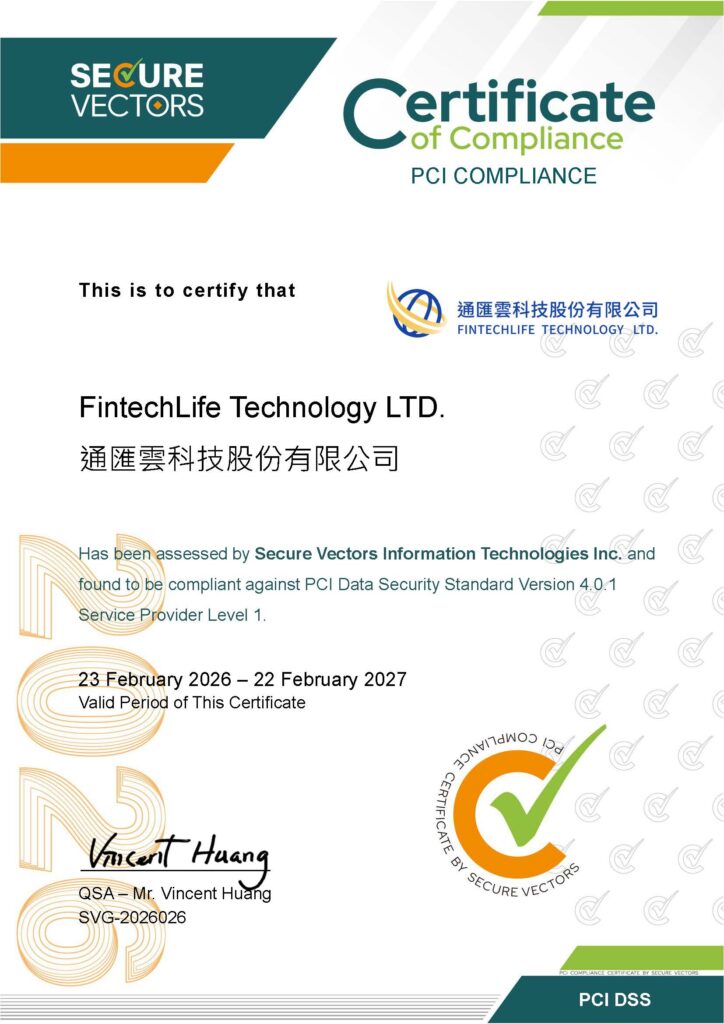
◆ PCI DSS Certification
In compliance with the requirements of international card organizations, the Company must achieve and maintain compliance with the PCI DSS (Payment Card Industry Data Security Standard). We implement comprehensive security measures across the cardholder data environment and conduct regular security assessments to ensure the protection of users’ payment card data during collection, storage, and transmission.
| Item | UQPAY Prepaid Card USD Top-up | UQPAY Prepaid Card USD Transfer | UQPAY Prepaid Card Balance Inquiry |
|---|---|---|---|
| Exchange Rate | N/A | N/A | N/A |
| Payer | User | User | User |
| Fee Frequency | Monthly | Per Transaction | Per Transaction |
| Fee Currency | USD | USD | USD |
| Fee / Amount | 1% | <= 50: 0.5USD> 50: 1% | 0 |
| Item | Limits |
|---|---|
| Maximum Balance per Card | Unlimited |
| Maximum Daily Top-up | Unlimited |
| Maximum Monthly Top-up | Unlimited |
| Maximum Daily Spending | Unlimited |
| Single Transaction Limit | USD 20,000 |
| Number of Cards per User | 5張卡 |
5. App The Terms of Use, Privacy Policy, and Disclaimer are as follows:
The Terms of Use
Privacy Policy
Disclaimer