Product introduction

GoGoWIRE Lite App
Product introduction

( The GoGoWIRE Lite App (hereinafter referred to as the “App”) ) 

一. App Function Description:

(一) Transaction Functions

The App provides users with the ability to:

•Register an App account 

•Apply for a UQPAY account 

•Link a UQPAY prepaid card 

•Perform UQPAY prepaid card transfer transactions 

•Check UQPAY prepaid card balances and transaction history 

(二) User Functions

Users can manage:

•Electronic invoice carrier settings 

•Transaction password settings 

•Login password settings 

•Language switching 

•Biometric login 

•Account deletion and logout

(三) Transaction Rules

1. After logging into the App, users can select their linked UQPAY card account. The App will display the UQPAY card balance and provide UQPAY prepaid card transfer functionality. Transfers can be made either to the user’s own prepaid card or to another user’s prepaid card. Details are as follows:

(a) Transfer to Own Prepaid Card:

  • Users enter the transfer amount in fiat currency, select the receiving card, and enter a remark.
  • The App will display a transaction quotation including, but not limited to: available fiat balance, transfer amount, fees, resulting fiat balance, sender’s name and card number, recipient’s name, card number, mobile number, and remarks.
  • If the user confirms the transaction and submits, they must enter the 6-digit transaction password and card CVV within the time limit. If both are correct, the transfer succeeds, and the balances of both the sender’s and recipient’s UQPAY prepaid card accounts are updated.

(b) Transfer to Another User’s Prepaid Card:

  • Users enter the transfer amount in fiat currency, the recipient’s mobile number, select the recipient’s card, and enter a remark.
  • The App displays the transaction quotation including, but not limited to: available fiat balance, transfer amount, fees, resulting fiat balance, sender’s name and card number, recipient’s name, card number, mobile number, and remarks.
  • If the user confirms the transaction and submits, they must enter the 6-digit transaction password and card CVV within the time limit. If both are correct, the transfer succeeds, and the balances of both the sender’s and recipient’s UQPay prepaid card accounts are updated.

2. Users must carefully review all transaction information before proceeding, including but not limited to fiat transaction amounts, transaction quantity, and fees. Only after fully accepting all quoted information may users proceed with the transaction.

3. Once a UQPAY prepaid card fiat transfer transaction is confirmed by the user, the user may not request to withdraw, cancel, or modify any operation through the App, the website, or customer service interfaces. All confirmed transactions are final. 
二. Information Security

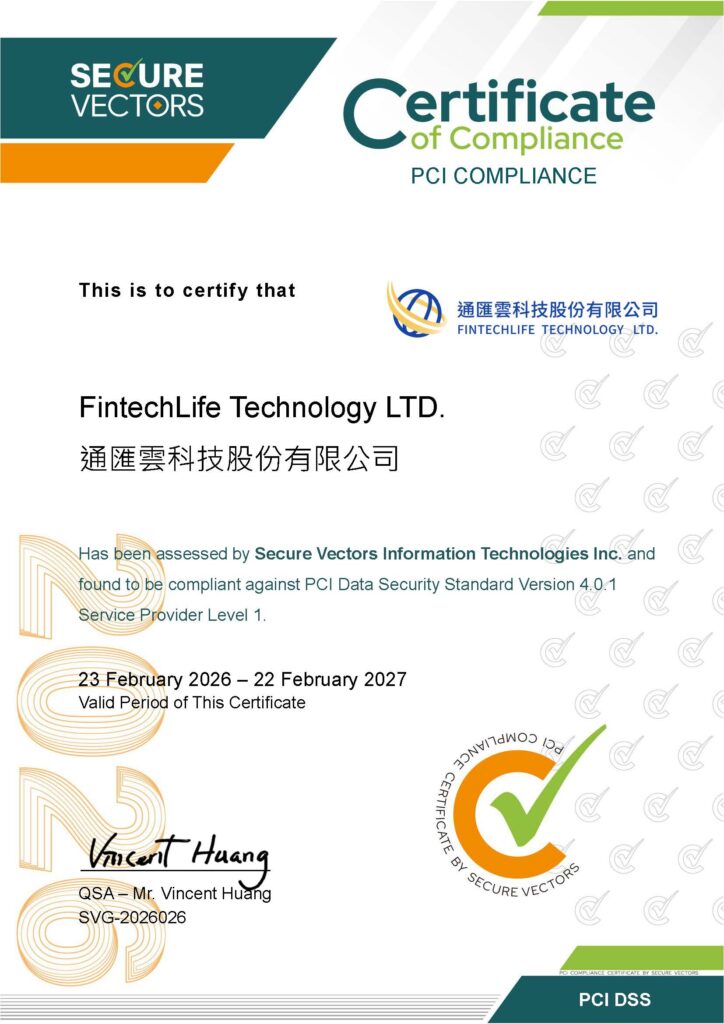
 ◆ PCI DSS Certification

Our company is required by international card organizations to obtain and maintain PCI DSS compliance. We implement comprehensive measures to secure the card payment environment and regularly conduct security tests to ensure the safety of users’ card data during collection, storage, or transmission.

3. App Processing Fees are as follows:
      Item                UQPAY Prepaid Card USD Top-up            
            UQPAY Prepaid Card USD Transfer                        UQPAY Prepaid Card Balance Inquiry            
Exchange RateN/AN/AN/A
PayerUserUserUser
Fee FrequencyMonthlyPer TransactionPer Transaction
Fee CurrencyUSDUSDUSD
Fee / Amount1%<= 50: 0.5USD> 50: 1%     0
Note: For USD and other related transactions recorded by the App for UQPAY prepaid cards, amounts are stored up to two decimal places. Any value at the third decimal place will be rounded up.:
4. Prepaid Card Limits are as follows:
ItemLimits
Maximum Balance per CardUnlimited
Maximum Daily Top-upUnlimited
Maximum Monthly Top-upUnlimited
Maximum Daily SpendingUnlimited
Single Transaction LimitUSD 20,000
Number of Cards per User5張卡
Note: All transaction limits for the UQPAY Visa Card are subject to the official announcements published by UQPAY.
5. App The Terms of Use, Privacy Policy, and Disclaimer are as follows:

The Terms of Use

Privacy Policy

 Privacy Policy